
Fiber Optic Installation Seattle projects connect network equipment where the required distance, capacity, or building layout makes fiber an appropriate choice. A useful installation includes more than a cable: the fiber type, optical modules, termination hardware, route, and test results must work together.
For an office, commercial property, or larger residential network, begin with the two locations you need to connect and the applications that will use the link. CamNetLink provides fiber optic installation and termination services in Seattle and surrounding communities. This guide explains what to specify, how to compare installation proposals, and what documentation to request.
Fiber Optic Installation Seattle: Define the Connection First
A fiber link is often used between equipment rooms, floors, network cabinets, or other approved connection points. It can provide a backbone for switches that serve Ethernet outlets, access points, and IP cameras.
Before selecting cable, establish:
- Endpoints: the exact equipment locations to be connected.
- Application: the intended network speed and supported equipment.
- Route: the installed path, including vertical travel and any outdoor sections.
- Infrastructure: existing pathways, enclosures, power, and network ports.
- Expansion: any realistic need for additional links or spare fibers.
- Acceptance: the tests and records required at handover.
Measure the actual cable route rather than the straight-line distance between rooms. Allow for termination access and properly managed service slack without turning excess cable into an unsupported bundle.
Property Fiber Cabling and Internet Service Are Different Scopes
Installing an internal fiber link does not activate a new internet plan or establish that a service provider reaches your address. Provider service, its handoff equipment, and the network inside the property need to be coordinated as separate parts of the project.
If your goal is a faster internet connection, confirm available service and the provider’s handoff requirements first. If your goal is a reliable connection between your own network locations, specify that internal link directly.
For work involving provider-owned equipment or cabling, agree on responsibility and authorization before changes are made. This prevents a property network estimate from being mistaken for an internet service activation quote.
When Fiber Makes Sense Alongside Ethernet Cabling
Fiber and copper Ethernet often serve different roles in the same network. Fiber may connect distribution points, while copper cabling connects nearby devices and supplies Power over Ethernet where supported.
| Requirement | Planning consideration |
|---|---|
| Connection between network cabinets | Assess the route, intended uplink speed, optical modules, and spare capacity. |
| Distant equipment location | Evaluate a suitable fiber link rather than assuming a standard copper channel will reach. |
| Nearby camera or access point | Compatible copper Ethernet may provide both data and PoE power. |
| Outdoor or separate-building route | Review cable construction, pathway protection, termination locations, and equipment power. |
Choose the medium according to the complete connection. Fiber is not automatically the best choice for every outlet, and a fiber backbone does not upgrade the capabilities of every connected device.
Singlemode or Multimode: Match the Fiber to the Equipment
Singlemode and multimode fibers support different optical applications. Common project specifications include OS2 singlemode and OM3 or OM4 multimode, but the correct choice depends on the intended equipment and link requirements.
The supported distance is a property of the complete optical link, not simply the word “fiber” on a quote. Check the fiber grade, application speed, transceiver specification, and allowed optical loss together.
Singlemode can be appropriate for longer links and other applications designed for it. Multimode can be suitable for supported shorter building or equipment-room connections. Either choice should be justified against the actual design.
Existing fiber should be identified from reliable records and assessed before reuse. Jacket color alone should not be the basis for deciding its grade or suitability.
Confirm Optical Modules and Connector Compatibility
Many network devices use pluggable optical modules, such as SFP or SFP+ transceivers. A physically fitting module or connector does not establish compatibility with the switch, operating software, or remote endpoint.
Confirm:
- Support for the proposed module in the equipment at each end.
- The intended speed, fiber type, and optical wavelengths.
- The connector type and compatible connector polish.
- The required number of fibers and their transmit-to-receive arrangement.
- The supported distance and optical power limits.
For bidirectional links using one fiber, the optical modules must form the correct matched pair. Do not assume that identical-looking modules are interchangeable.
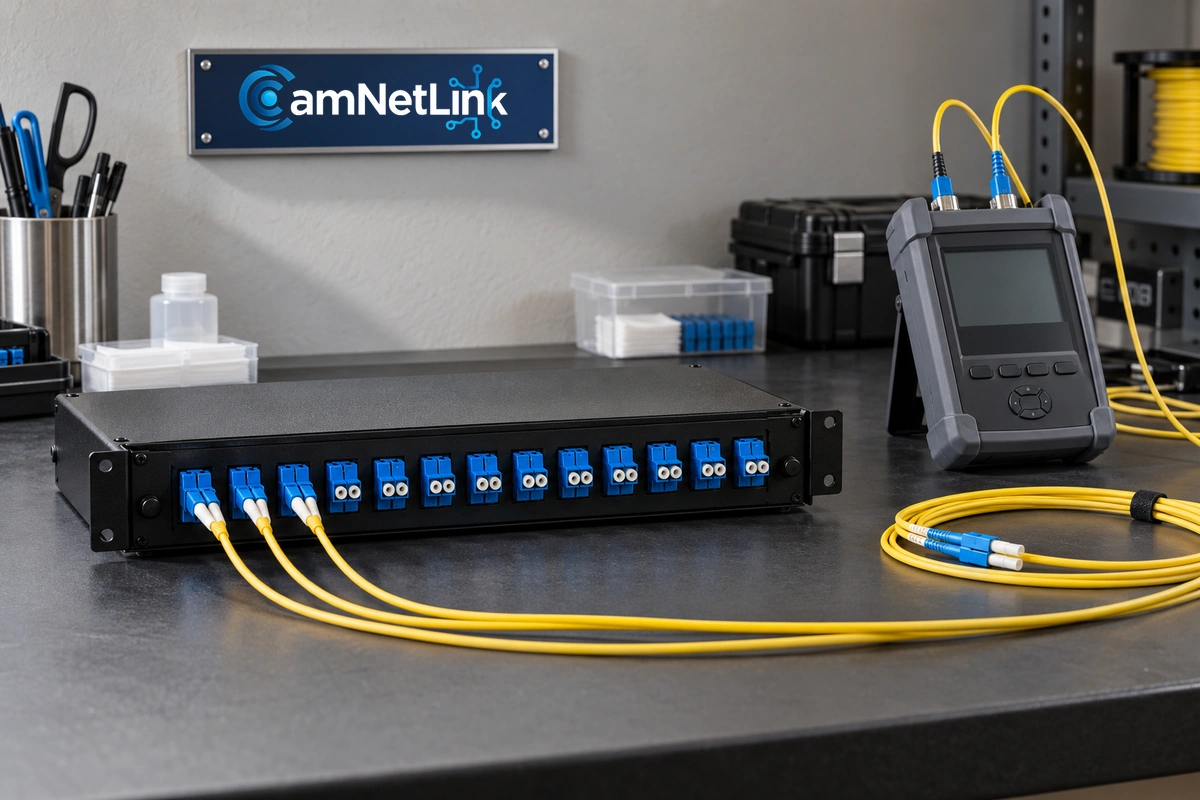
Ask the proposal to name the included modules, patch leads, adapters, and termination enclosures. A cable-only price leaves important parts of the connection unspecified.
Plan Cable Routing and Protection
The cable’s construction must suit its route. Indoor, outdoor, and mixed-route installations can require different cable and enclosure choices. Review these requirements before ordering materials.
Follow the selected cable manufacturer’s limits for pulling tension and bend radius, including any distinction between installation and final installed conditions. Avoid sharp pathway edges, crushing, or tight bends around cabinets and termination points.
For a Seattle property with an exposed section, assess moisture exposure, entry points, suitable protection, and access for future service. A cable that appears tidy inside a room may still have an unsuitable transition outside.
Building access, approved pathways, and restoration responsibilities should be resolved during planning. Where a route includes metallic cable components, bonding and related requirements need appropriate review; do not treat every fiber cable as electrically identical.
Termination: Preterminated Cable or Field Work?
Preterminated assemblies arrive with connectors already fitted. They can be useful when the route, length, and pulling arrangements accommodate the assembly. The connectors still need protection during installation and inspection before connection.
Field termination can use supported connector methods or splicing to connectorized pigtails. Fusion splicing joins fibers, and the completed splice needs suitable protection and management.
The appropriate method depends on the cable, environment, access, equipment, and project requirements. Ask the installer to specify the method and explain how the finished fibers will be protected inside the enclosure.
A splice machine’s estimated loss is not a substitute for testing the completed link. Likewise, factory termination does not eliminate the need to verify the installation after the cable is routed.
Fiber Optic Cable Testing: What Should Be Included?
“Fiber tested” can describe different activities. Agree on the method, test limits, wavelengths, and deliverables before comparing quotes.
Connector Inspection and Cleaning
Contamination at connector end faces can interfere with performance and transfer when connectors are mated. Inspect the relevant connection surfaces, clean with suitable fiber tools when required, and inspect again before connection.
Protect unused connectors and ports appropriately. Do not assume that a new connector or a fitted dust cap guarantees a clean end face.
Insertion Loss, Length, and Polarity
An optical loss test set, or OLTS, is used for end-to-end insertion-loss testing. Suitable testing also verifies the required length and polarity information against the selected application or cabling limits.
Results should identify the fiber or link, test wavelength, selected limit, and measured outcome. A generic pass statement without identifying what was tested is less useful for maintenance or later upgrades.
OTDR Characterization
An optical time domain reflectometer, or OTDR, helps characterize events along the link, including connectors, splices, bends, and fault locations. It provides different information from an end-to-end loss measurement.
Where OTDR testing is required, specify the method and reports. An OTDR trace should not be presented as a replacement for the required insertion-loss test. A visual continuity check or an active network link also does not provide the same evidence as documented cabling tests.
How Fiber Can Support IP Cameras and Wi-Fi
A fiber uplink can connect a remote network switch serving cameras or access points. This can be useful when the equipment location or cable distance calls for an optical backbone.
The optical fiber itself does not carry standard PoE electrical power. The remote switch or conversion equipment needs an appropriate power arrangement, and the connected devices still need compatible power outputs.
For a project that includes security camera installation in Seattle, coordinate the fiber link with camera locations, aggregate video traffic, recording equipment, and power planning. A working optical link is one part of a working surveillance system.
A Local Example of Network and Fiber Work
CamNetLink’s published commercial network and fiber optic cabling project in Bellevue describes work at a hotel property supporting its internal network infrastructure.
Your property may have a different route, equipment layout, and operational schedule. Use a site assessment to establish its own requirements rather than treating another project as a fixed package.
What Affects Fiber Installation Costs?
Cost depends on the installed route and complete scope, not just cable length. Accessible indoor routing differs from a project involving difficult access, protected pathways, outdoor transitions, or work around an occupied business.
A comparable estimate should identify:
- Cable type, fiber count, and planned route.
- Termination method, enclosures, adapters, and patch leads.
- Optical modules and any included network equipment.
- Pathway protection, access work, and restoration scope.
- Testing methods and required reports.
- Scheduling, documentation, and support arrangements.
Resolve exclusions before approving the work. A lower price may omit modules, testing, or route preparation included in another proposal.
Fiber Optic Installation Seattle: Handover Records
Keep a connection record that matches the installed labels. At completion, request the agreed route information, fiber identifiers, termination locations, equipment details, and test reports.
Confirm that the intended network application operates across the link. This functional check complements the cabling tests rather than replacing them.
Document spare fibers and any outstanding work. Good records help future technicians identify a connection without disturbing unrelated links.
Frequently Asked Questions
Will internal fiber cabling make my internet plan faster?
It can support an appropriate internal network connection, but it does not increase the service purchased from your provider. Internet performance also depends on the provider connection, router, equipment, and application.
Is singlemode always better than multimode?
No universal choice fits every installation. Select the fiber and optics together according to the intended speed, distance, equipment support, and expansion requirements.
Can existing fiber be reused?
Potentially, if its type, condition, termination, and tested performance meet the new requirements. Assess the complete link before assuming replacement is necessary.
Does a working link mean the fiber has been certified?
No. Connectivity shows operation under the observed conditions. Certification requires the specified testing, applicable limits, and recorded results.
Does every fiber project need fusion splicing?
No. Preterminated assemblies and other supported termination methods may suit the project. Confirm the proposed method and how the completed installation will be tested.
Request a Fiber Installation Assessment
For Fiber Optic Installation Seattle, prepare the endpoint locations, intended network speed, existing equipment details, and any available route information. This helps CamNetLink discuss a practical installation and termination scope for your property.
Request a fiber optic project assessment and estimate, or call (206) 886-4953.