
Bank Security Camera Installation Seattle involves more than choosing cameras and connecting a recorder. A financial institution needs useful footage of important areas, dependable recording, controlled access to video, and an installation that fits its security and IT requirements.
The most important question is whether the system will provide the information authorized staff need to review an incident. A wide lobby view may show movement without capturing enough detail at an entrance. A camera may display live video while a recording fault leaves footage unavailable.
This guide explains how banks can define their surveillance requirements, compare installation proposals, and verify the completed system. For a broader overview of local services, explore CamNetLink’s security camera installation in Seattle.
Start With a Clear Surveillance Plan
Before selecting equipment, identify the purpose of each camera. A bank branch contains public spaces, transaction areas, employee workspaces, and restricted-access zones. These locations do not all need the same type of view.
An overview camera can help staff understand movement through a lobby. A more focused entrance view may support identification. Coverage near a staff-only doorway can provide context for an access event.
The branch manager, security representative, and IT team should agree on:
- The areas requiring coverage and the intended purpose of each view.
- The level of recorded detail needed at relevant locations.
- Areas and sensitive information that should be excluded from recording.
- Recording schedules and the required retention period.
- Permissions for live viewing, playback, exports, and administration.
- Approved equipment, network connections, and remote-access methods.
- Installation scheduling and acceptance criteria.
Documenting these decisions creates a useful basis for equipment selection and project handover.
Bank Security Camera Installation Seattle: Where Coverage Matters
Customer Entrances and Exits
Entrance cameras should record useful views of people moving through the doorway. Viewing distance, mounting angle, lens selection, and lighting all affect the result.
Glass doors can create strong contrast between a bright exterior and a darker interior. Wide dynamic range, or WDR, can help manage this contrast, but performance should be checked at the actual location. Review recorded footage of someone walking through the entrance rather than judging an empty scene.
Teller Positions and Transaction Areas
Teller-area coverage should show relevant interactions without unnecessarily recording account details, confidential paperwork, or computer displays. The institution should approve what each view captures.
A broad view of the teller line can provide context while offering insufficient detail at individual positions. Determine whether separate focused views are needed instead of assuming that one wide-angle camera can perform every task.
ATM Vestibules and Exterior Approaches
ATM cameras should cover activity around the machine and its approach while avoiding views of PIN entry and unnecessary screen information. Test coverage with someone using the machine, since their position may obscure part of the scene.
For exterior locations, assess lighting, weather exposure, reflections, mounting protection, and maintenance access. Cameras viewing through glass require particular attention to reflections after dark.
Lobbies and Waiting Areas
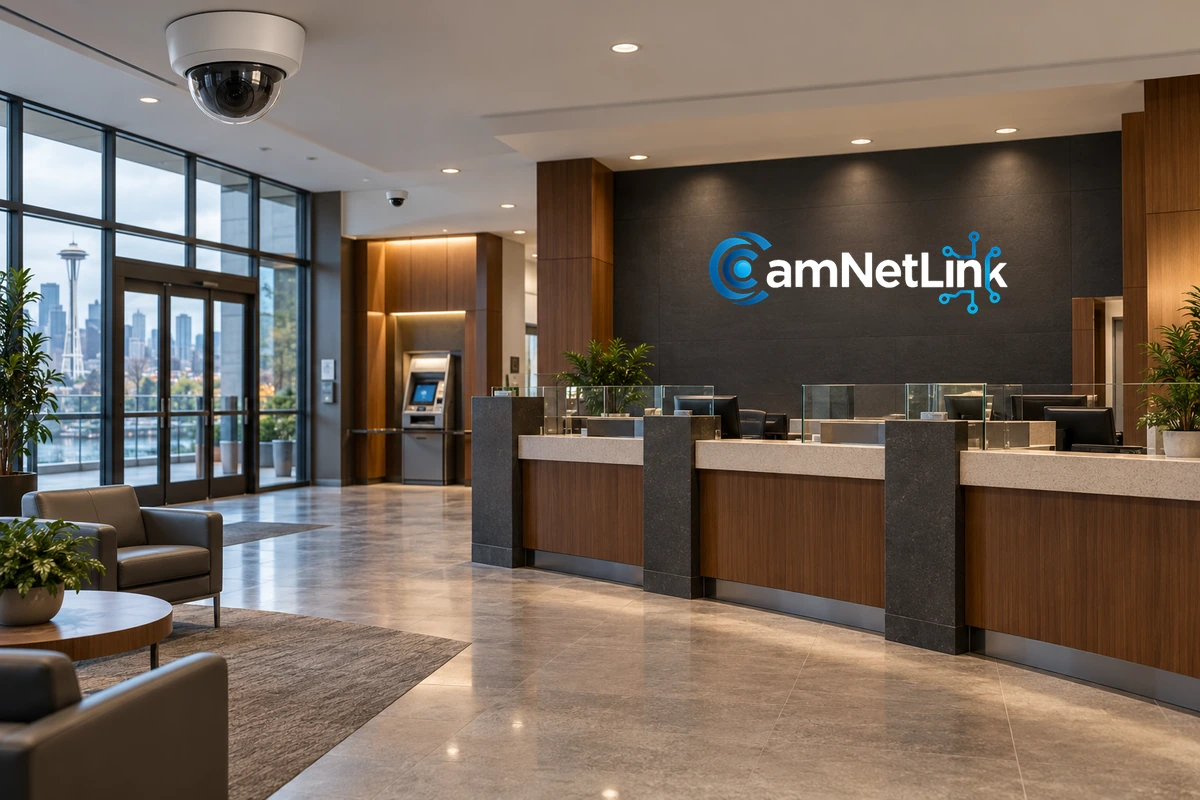
Lobby footage helps establish the sequence of an incident by showing movement between entrances, waiting spaces, and transaction areas. Furniture, promotional displays, and customer queues can obstruct views.
Check the layout against normal branch activity. Coverage that appears adequate in an empty room may be less useful when the branch is busy.
Employee Entrances and Restricted-Area Approaches
Coverage of staff-only doors should follow the institution’s approved security plan. If footage will be reviewed alongside access-control records, confirm compatibility and consistent timestamps.
Keep detailed security layouts and information about coverage limitations within authorized project documentation.
Parking Areas and Pedestrian Routes
Branches with dedicated parking may need exterior footage of vehicle approaches, pedestrian routes, and building entrances. Define whether the objective is general monitoring or a specialized task.
General overview footage does not automatically provide reliable license plate capture. That requirement needs a separate assessment of camera placement, lighting, vehicle movement, and supported equipment.
For additional exterior planning considerations, read our parking lot security camera installation guide.
Choosing the Right Cameras for a Bank Branch
Choose cameras according to the result required at each location. Resolution matters, but usable detail also depends on the lens, viewing distance, mounting position, lighting, and recording settings.
A high-resolution camera covering an entire room may provide less useful detail at a doorway than a carefully positioned camera with a narrower view. Equipment should be evaluated against its assigned task.
Depending on the approved design, suitable options may include:
- Fixed dome cameras for appropriate indoor coverage areas.
- Varifocal cameras where the viewing angle needs precise adjustment.
- Outdoor-rated cameras for exposed entrances and approaches.
- Multi-sensor cameras where several views are useful from one location.
- Specialized cameras for requirements that general overview equipment cannot reliably meet.
Confirm compatibility with the approved recording platform, software support, environmental conditions, and the institution’s procurement policies before selecting a model.
Recording Reliability and Video Retention
A bank surveillance system must retain footage for the period established by the institution. That decision should involve its security, legal, and compliance teams before storage equipment is specified.
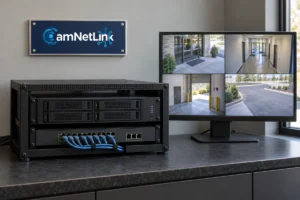
Storage demand depends on camera count, average bitrate, recording schedules, compression settings, and scene activity. Usable capacity also depends on the selected storage configuration.
For illustration, one camera recording continuously at an average of 4 megabits per second generates approximately 43.2 gigabytes per day. Ten cameras at that average generate approximately 12.96 terabytes over 30 days, before allowing for storage overhead and reserve capacity. This calculation is an example rather than a recommended system size.
The recording plan should answer:
- How will authorized staff confirm that required cameras are recording?
- Who receives notifications about recording or storage faults?
- What happens when storage becomes full or a drive fails?
- How can staff locate and preserve relevant footage before overwrite?
- Can exported recordings be played on the intended review device?
During handover, complete a sample search and export. Arrange a later retention check once enough recording history exists to assess the agreed target.
Protecting Access to Surveillance Footage
Live viewing, recording review, evidence export, and system administration are different responsibilities. Assign permissions according to the institution’s approved policies rather than giving every user unrestricted access.
Use individual accounts where supported, review permissions when responsibilities change, and protect exported footage according to the institution’s handling procedures.
Remote access should be approved by the IT team before activation. Confirm authorized users, devices, authentication methods, network protections, and available logging.
Treat audio recording as a separate decision. The institution should review its purpose and applicable requirements before enabling it.
Network Cabling and Backup Power
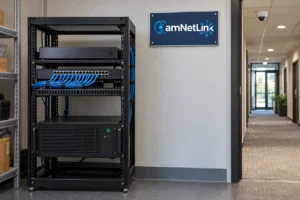
Many IP camera systems use Power over Ethernet, or PoE, to provide compatible cameras with power and network connectivity. Reliable operation requires suitable cabling and sufficient switch capacity for the connected equipment.
The installation scope should identify cable routes, termination points, labels, network equipment, and recorder locations. Coordinate network configuration and any network separation with the institution’s IT team.
If recording must continue during a power interruption, the backup-power plan should cover all necessary equipment. Protecting the recorder alone may not maintain surveillance if cameras or switches lose power.
Define the required backup duration and connected load before selecting equipment. Also provide suitable ventilation, controlled physical access, and maintenance space for recording hardware.
When Video Analytics May Be Useful
Selected analytics may help flag events such as movement near an exterior doorway after hours or entry into an approved monitoring zone. Their usefulness depends on camera placement, scene conditions, supported features, and the response procedure.
Define the event before selecting an analytics package. Test both intended events and ordinary activity to assess missed detections and unwanted notifications.
Analytics should support human review and follow the institution’s approved technology and privacy policies. Our guide to AI security camera systems in Seattle provides further background on planning these features.
What Affects Bank Camera Installation Costs?
The cost of bank camera installation depends on the layout, required image detail, existing infrastructure, equipment policies, and recording requirements. A site-specific proposal is more useful than a generic camera package.
Ask for a clear breakdown of:
- Camera models, quantities, and intended coverage.
- New cabling and any proposed reuse of existing infrastructure.
- Recording equipment and usable storage capacity.
- Software licenses and recurring charges, where applicable.
- Network and backup-power equipment included in the scope.
- Installation scheduling, documentation, and training.
- Support arrangements and maintenance responsibilities.
Compare proposals against the same objectives. A lower initial price may reflect different coverage, storage, or support rather than equivalent performance.
Our Seattle security camera installation cost guide explains general budgeting factors.
Planning Installation Around Branch Operations
Agree on working hours, access supervision, and necessary interruptions before installation begins. The institution should determine which activities can take place during opening hours and which require a different schedule.
For a replacement system, document how existing coverage will be maintained during the transition. Identify planned recording interruptions and obtain the appropriate internal approval.
Existing cameras may be reusable if they meet the approved requirements. Assess image usability, condition, compatibility, and software support before retaining them.
Acceptance Testing Before Project Handover
A completed installation should demonstrate the recorded result, not just display live camera views. Use the approved scope to verify:
- Coverage: each camera provides the intended view.
- Movement: recorded footage captures relevant activity with the required detail.
- Lighting: entrance and exterior footage remains useful under representative conditions.
- Privacy: excluded areas and unnecessary sensitive information are outside the approved recorded view.
- Recording: schedules, timestamps, playback, and fault notifications operate as agreed.
- Permissions: each approved user role has the intended level of access.
- Export: a sample incident can be retrieved and played on the designated review device.
- Documentation: authorized staff receive operating instructions, equipment records, and support contacts.
Document any outstanding work and assign responsibility for follow-up checks, including verification of actual recording retention.
Maintaining Bank Security Cameras
Assign responsibility for routine checks of camera views, recording health, storage status, timestamps, and user access. A camera can remain physically installed while a fault or obstruction reduces its usefulness.
Review coverage after changes to furniture, lighting, promotional displays, or customer routes. Exterior equipment may need additional attention after weather exposure or nearby construction.
Set maintenance frequency according to the environment, manufacturer guidance, and the institution’s operating requirements.
Frequently Asked Questions
How many security cameras does a bank branch need?
The number depends on the layout and required views. Assess entrances, transaction areas, ATM access, public spaces, and restricted-area approaches before determining camera quantities.
Does every bank camera need 4K resolution?
No single resolution is appropriate for every task. Select it alongside the lens, viewing distance, lighting, and recording settings. Recorded image usability is the deciding factor.
How long should bank surveillance footage be retained?
The institution should establish its retention target through the responsible teams. Design storage around that target and verify the result after sufficient recording history is available.
Can a bank upgrade its existing system in stages?
Potentially, subject to compatibility and approved requirements. A phased plan should identify retained equipment, replacement work, and how recording continuity will be handled.
Can authorized staff review footage remotely?
Remote review may be possible through an approved system and access method. The institution’s IT and security teams should authorize the configuration and intended users.
Can surveillance prevent every security incident?
No system can prevent every incident. Surveillance supports a broader security program by providing visibility and recorded information when appropriately designed, operated, and maintained.
Discuss Your Bank Camera Installation Project With CamNetLink
CamNetLink provides commercial security camera installation and network infrastructure services in Seattle and surrounding communities.
For Bank Security Camera Installation Seattle, begin with your institution’s coverage objectives, recording requirements, and approved technology policies. Contact CamNetLink to discuss the project scope and confirm equipment and installation suitability.
Request a project assessment and estimate, or call (206) 886-4953.