
Access Point Installation Seattle starts with a coverage and capacity plan, not simply a decision to buy another wireless device. Your network should support the places where people work, the devices they use, and the applications that need a stable connection.
A meeting room can show a strong Wi-Fi signal yet struggle when several people join video calls. A home office can work well near the router but lose reliability behind another wall. The right installation connects access point placement, wired infrastructure, radio settings, and testing at the actual working locations.
This guide explains what to include in an installation scope, when wired access points make sense, and how to evaluate the finished result. CamNetLink provides access point and Wi-Fi installation services for residential and commercial properties in Seattle and surrounding communities.
What Does WiFi Access Point Installation Include?
An access point connects wireless devices to your network. A router handles traffic between networks, including the connection to your internet service. Some home equipment combines both functions, but adding a dedicated access point does not automatically mean replacing the router.
A useful installation scope identifies the access points, their mounting locations, how each one connects to the network, and the equipment needed to power and manage them. It should also define configuration, testing, and handover responsibilities.
Ask whether the proposal includes:
- Assessment of existing coverage and the intended working areas.
- Access point models, quantities, mounting hardware, and locations.
- Ethernet runs, terminations, labels, and cable testing where required.
- Compatible switches or power injectors.
- Wi-Fi names, authentication, guest access, and agreed network separation.
- Management accounts, licensing, and any recurring charges.
- Post-installation checks and a record of the final configuration.
Access Point Installation Seattle: Plan Coverage and Capacity Together
Coverage means a device can connect in the intended area. Capacity concerns how effectively the network serves devices using it at the same time. Both matter when deciding how many access points a property needs.
Start with a floor plan and a short description of normal activity. Mark desks, meeting rooms, customer areas, upper floors, and any spaces where a connection is currently unreliable. Identify applications such as video meetings, cloud software, voice calling, and handheld inventory tools.
Record the expected number of simultaneous users rather than only the total device inventory. A room containing twenty idle phones creates a different requirement from the same room hosting twenty active video streams.
There is no dependable universal rule that assigns one access point to a fixed number of square feet. Walls, mounting height, interference, client capabilities, and traffic patterns affect the design. An advertised maximum client count is also not a guarantee of acceptable performance for every application.
Choose Access Point Locations Before Finalizing Cable Routes
Place access points according to where wireless service is needed. An accessible cable route is useful, but it should not determine a location that leaves the working area poorly served.
Ceiling and wall installations are both possible with suitable equipment. Follow the selected model’s mounting guidance and antenna pattern; rotating a device or hiding it in a cabinet can change the result. Building materials and nearby objects mean that a floor-plan prediction still needs on-site validation.
Homes With Multiple Rooms or Floors
Evaluate the home office, bedrooms, common spaces, and routes between floors individually. A central-looking position on a drawing may not provide the intended coverage through the actual structure. Test with the phones and laptops used in those spaces.
Offices, Retail Spaces, and Meeting Rooms
Account for concentrations of active users. A busy meeting room or customer area may require a different design from a quiet corridor. In larger commercial spaces, shelving, equipment, and layout changes should be included in the coverage assessment.
Keep access points accessible for maintenance while protecting them from accidental damage. Confirm mounting permission, cable access, and working hours before installation in an occupied property.
Wired Access Points or Wireless Mesh?
With a wired access point, Ethernet provides the connection back to the network. A mesh node uses a wireless connection for that part of the path. Both can be appropriate, but they have different installation and performance considerations.
- Wired access points: are generally preferable where practical cabling is available, because the backhaul does not rely on another wireless link.
- Wireless mesh: can extend service where cable installation is impractical, provided the node has a suitable connection to its upstream access point.
- Mixed designs: can use wired connections in accessible areas and carefully planned wireless links elsewhere.
Do not place a mesh node in a dead zone and assume it will repair the connection. It needs a reliable upstream link. Additional wireless hops and interference can reduce available throughput, so assess the complete path rather than judging only the signal beside the node.
Check Ethernet Uplinks and Power Requirements
Many access points receive power through Power over Ethernet, or PoE. The proposed switch or injector must match the selected model’s power requirements. Check the available power per port and the switch’s total budget when several devices share it.
Also confirm the access point’s Ethernet interface, the switch port speed, and the installed link. An access point with a faster uplink will not obtain that speed through a slower switch port. Existing outlets should be assessed before reuse.
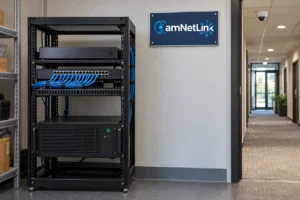
The cable proposal should identify the route, components, termination points, and testing method. Keep a connection record linking each installed access point to its outlet or switch port so future troubleshooting does not depend on guesswork.
Select Equipment for Your Devices and Applications
Compare access points using the capabilities that matter at your property: supported Wi-Fi bands, client compatibility, Ethernet connectivity, power requirements, management, and installation environment.
A newer Wi-Fi standard can offer additional capabilities, but client devices must support the relevant features to use them. The headline wireless data rate is not a promise of internet download speed. Actual throughput depends on the client, radio conditions, network path, and internet service.
Confirm that the selected platform works with retained network equipment. Ask who will own the management account, whether a controller or subscription is required, and what access the property owner receives at handover.
Configure Channels, Power, and Roaming Carefully
Several access points do not automatically produce a better network. Nearby radios using the same channel can compete for airtime, while unnecessarily wide channels can reduce the opportunities to reuse spectrum in a busy environment.
Select channel widths and transmit power according to the observed conditions and intended applications. Maximum power is not a universal solution: the connection also depends on the client transmitting back to the access point.
When users move between rooms, compatible roaming features can help their devices transition between access points. However, device support and behavior vary. Test an actual call or other relevant application along the normal walking route instead of treating one Wi-Fi name as proof of uninterrupted roaming.
Separate Guest Access From Business Equipment
A different Wi-Fi name alone does not establish separation from the rest of the network. Guest restrictions depend on how the wireless network maps to the underlying network and which access rules are enforced by the supporting equipment.
Decide what guests should reach and what should remain restricted. Test the agreed boundaries, including access to office systems and network management interfaces. Client isolation and restrictions between networks address different traffic paths, so the design should cover both where needed.
Choose supported authentication settings, protect administrative access, and document who maintains the configuration. Businesses should coordinate these decisions with whoever is responsible for their IT policies.
Coordinate Wi-Fi With Security Camera Infrastructure
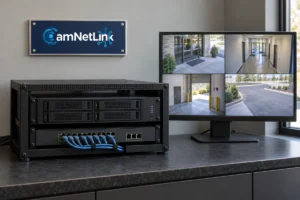
Access points and IP cameras may share switches, cable routes, or equipment space even when the cameras use wired connections. Plan their combined port and power requirements, and keep any approved network separation consistent across the installation.
For work that also includes security camera installation in Seattle, review the camera and Wi-Fi objectives together. Wireless cameras need a tested connection at their actual mounting positions; wired cameras do not become wireless simply because an access point is nearby.
Acceptance Testing: Check the Network Where People Use It
Agree on acceptance checks before installation. A single speed test beside an access point gives limited information about another room, a busy meeting, or movement between coverage areas.
- Locations: test the agreed desks, rooms, floors, and other working areas using representative client devices.
- Applications: check the actual tasks that matter, including calls or business software where applicable.
- Concurrent use: assess performance with representative activity rather than only one idle-room connection.
- Roaming: move through the intended routes while using a relevant application.
- Access controls: verify guest restrictions and authorized access to internal resources.
- Infrastructure: confirm uplink speeds, power status, labels, and management access.
If an internet test is slow, compare it with a suitable wired baseline before blaming Wi-Fi. The provider connection, router, remote test server, and local wireless link are different parts of the path. Record test locations and conditions so later comparisons are meaningful.
What Affects Access Point Installation Costs?
The estimate depends on access point quantities, new cabling, mounting access, power equipment, configuration complexity, and the agreed testing scope. A project reusing suitable outlets differs from one requiring new routes through a finished building.
Compare proposals with the same coverage areas and deliverables. Ask whether equipment, management licensing, configuration, documentation, restoration work, and follow-up adjustments are included. Specify any formal survey or report requirement rather than assuming every installation includes one.
Frequently Asked Questions
How many access points do I need?
The answer depends on the layout, construction, simultaneous users, devices, and applications. Establish those requirements and assess the wireless environment before deciding on quantities.
Will an access point increase my internet plan speed?
It can improve access to the available connection in suitable locations, but it does not increase the service purchased from your provider.
Can I keep my existing router?
Potentially, if it supports the proposed network and configuration. Check compatibility, available capacity, and any guest-network requirements before retaining it.
Does every access point need an Ethernet cable?
Wired models use Ethernet for their uplink. Compatible mesh devices can use wireless backhaul, but they still need power and an adequate upstream wireless connection.
Can business and guest Wi-Fi share the same access points?
Compatible equipment can support separate wireless networks on the same hardware. The supporting network must also enforce the intended access restrictions.
Access Point Installation Seattle: Prepare Your Project
Prepare a floor plan, device list, description of current problems, and the areas that need reliable service. Include any existing network equipment you want assessed and any scheduling constraints.
CamNetLink provides access point installation, network cabling, and related equipment setup in Seattle and surrounding communities. Request an installation estimate, or call (206) 886-4953 to discuss your property and project scope.